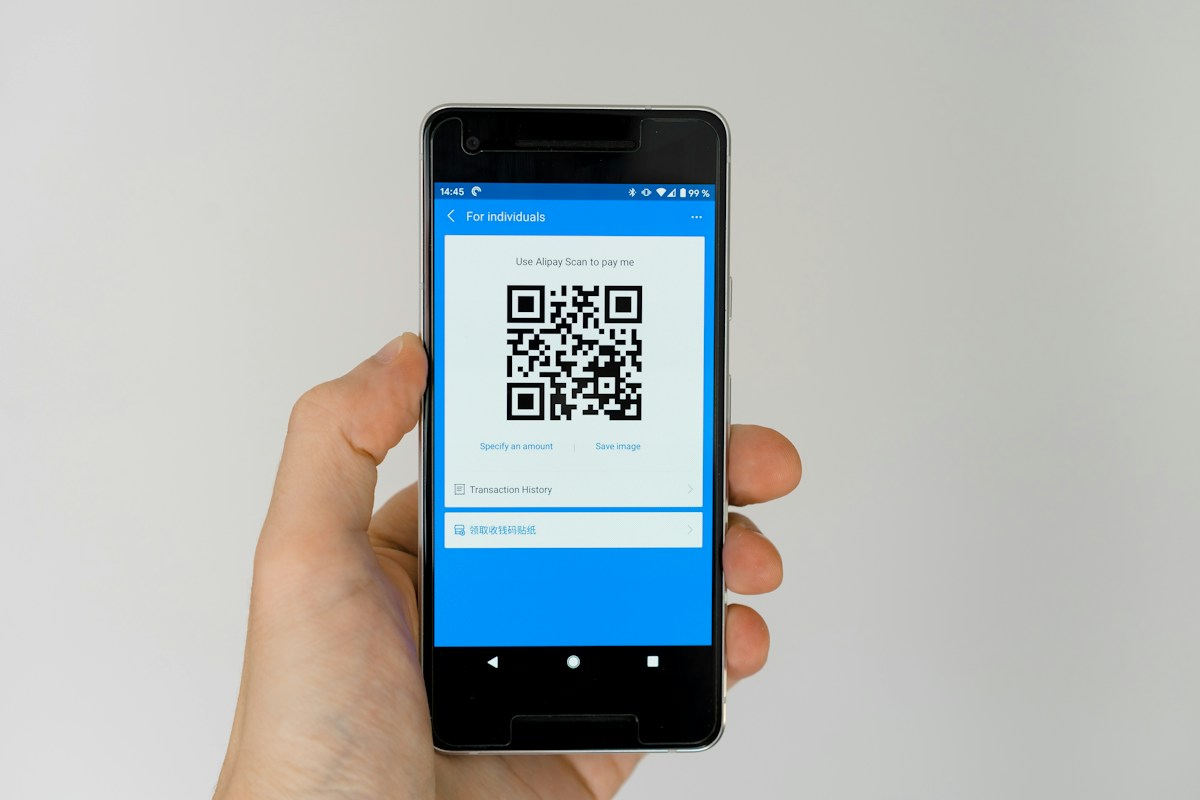
QR codes make it easy to open menus, make payments, access services, or view information. However, these codes can also hide destination addresses, preventing users from seeing the domain before their camera or app opens it. Scams that exploit QR codes are commonly called quishing—a form of social engineering that directs victims to malicious sites or harmful actions.
Why QR codes need to be checked
A QR code itself is simply a way to encode information. The risk comes from the URL or action it contains: links can lead to fake login pages, forms requesting personal data, unofficial app downloads, or payment pages impersonating merchants. Codes placed in public spaces can also be covered with stickers redirecting users elsewhere.
Checklist before opening a link
- Preview the domain. Use the preview feature on your camera or a trusted scanner before opening the URL.
- Check the spelling. Watch for typos, extra words, lookalike characters, or domains that don’t match the intended organization.
- Don’t trust HTTPS alone. Fake sites can also use valid HTTPS certificates. Verify that the domain itself is correct.
- Avoid logging in through randomly placed codes. If a code claims to be from a bank or important service, open the official app directly instead.
- Don’t install apps from unfamiliar pages. Use official app stores or verified developer websites.
- Confirm payments. Check the recipient name and amount in your official app before authorizing any transaction.
Warning signs to watch for
Be suspicious of QR codes placed over official codes, messages urgently demanding fine payments or package opening, domains with odd spellings, and pages requesting OTPs, passwords, or card information without clear justification. Never enter credentials just to view a page’s contents.
If you’ve already scanned
Simply scanning a code doesn’t necessarily mean your device is infected. Risk increases if you entered credentials, downloaded or installed apps, granted sensitive permissions, or approved transactions. Close the page if it seems suspicious. If you entered a password, change it through the official site from a trusted device, revoke unrecognized sessions, and review recovery methods. If you approved a payment, contact your payment provider through official channels immediately.
Also learn the common warning signs in our guide to recognizing phishing, and understand that browser security icons don’t guarantee a site is legitimate. Further explanation is available in our article about HTTPS and TLS.
QR codes in payments
QR codes are now a normal part of paying: scanning a code at a market stall, a restaurant table, or a parking meter. The convenience is real, but so is the risk, because a payment QR code is easy to replace. A sticker placed over a genuine code can send money to a different account, and the victim often only notices when the merchant says the payment never arrived. Before confirming any payment, check the recipient name shown in the payment app and make sure it matches the business in front of you. If the name looks unfamiliar, is spelled oddly, or belongs to a personal account when you expected a business, stop and ask the merchant directly.
Fixed amounts deserve the same attention as the recipient. A code that fills in the amount automatically saves typing, but it also removes the chance to notice a wrong figure. Always read the amount on the confirmation screen before approving, even for small purchases. For larger payments, consider typing the amount manually or paying through the merchant’s own terminal instead of a printed code. Keep the receipt or transaction record until the merchant confirms the payment, so there is proof if something goes wrong.
Street vendors and small businesses that rely on printed codes should check their own codes regularly. A quick daily glance, comparing the code on display with a known-good copy, can catch a tampered sticker before customers lose money. Some merchants laminate their codes or place them behind glass, which makes tampering more obvious. Customers can also help by telling the merchant if a code looks newly pasted or crooked.
QR codes at work and in public places
Workplaces use QR codes for Wi-Fi access, meeting rooms, equipment sign-out, and internal tools. A code in an office hallway feels safe because it is inside a trusted building, but offices receive visitors, cleaners, and contractors, and a code can be swapped by anyone with brief access. Treat a workplace QR code with the same caution as one on the street: preview the link, check the domain, and never enter credentials through a code if the same service is available through a bookmark or an official app.
Public places carry a wider range of risks. Restaurant tables, parking meters, bus stops, and tourist attractions all display codes that anyone can reach. Parking payment codes are a frequent target, because drivers are often in a hurry and a fake payment page can collect card details before the driver notices. If a parking meter’s code looks like a sticker placed on top of the original, or if the page it opens asks for more information than a normal payment requires, step back and look for another way to pay, such as the official parking app or a payment machine.
Codes received by email or message deserve extra suspicion, because they arrive with a story attached. A message claiming a parcel is waiting, a bill is overdue, or an account will be closed creates urgency, and urgency is exactly what scammers rely on. No legitimate organisation needs you to scan a code from an unexpected message to keep your account open. Open the official app or type the official address yourself instead.
Teaching others to check
The people most at risk from QR scams are often those who are least familiar with them: older relatives, children, and anyone who has only recently started using a smartphone for payments. A short, practical demonstration works better than a warning. Show them the preview feature on their own phone, scan a harmless code together, and point out where the domain appears before anything opens. Repeat the exercise with a made-up example of a suspicious domain, so they can see what a lookalike address looks like.
Agree on simple household rules that are easy to remember: never scan a code to pay a fine or a bill that arrived by surprise, never enter a password through a code, and always ask a family member before approving a payment that feels unusual. Rules like these do not require technical knowledge, and they protect against the most common scams. Revisit the conversation occasionally, because scam tactics change and a rule learned once can fade with time.
What to do after entering data
If credentials were entered on a suspicious page, act quickly but methodically. Change the password from the official site on a trusted device, starting with the account that was exposed and then any other account that shared the same password. Turn on multi-factor authentication if it is not already active, review active sessions and sign out unknown ones, and check recovery email addresses and phone numbers for changes. If card details were entered, contact the bank or card issuer through official channels and ask about blocking the card or watching for unauthorised transactions.
If an app was installed from a page reached through a QR code, remove it, check what permissions it was granted, and run a security scan if the device offers one. If a payment was approved to the wrong recipient, contact the payment provider immediately: recovery is sometimes possible when reported quickly, and becomes much harder with time. Keep records of what happened, including the time, the amount, and screenshots of the page if they are safe to keep, because these details help the bank, the police, or the platform when a report is made.
Building a checking habit
Checking a QR code takes only a few seconds, but it only helps if it becomes a habit rather than something done occasionally. The easiest way to build the habit is to tie it to a single rule: always preview before opening, no exceptions. Previewing becomes automatic after a few weeks, much like checking a rear-view mirror before changing lanes. The goal is not to make people afraid of QR codes, which are genuinely useful, but to make a quick verification feel like a normal part of using them.
Phone settings can support the habit. Use the camera’s built-in preview rather than an unknown scanner app, keep the phone’s software updated, and be cautious about scanner apps that request broad permissions. A scanner that asks for access to contacts or messages is asking for far more than it needs to read a code. With a simple preview habit and a little scepticism toward urgent messages, QR codes remain a convenient tool rather than a doorway for scams.
Conclusion
Make link previewing a habit before taking sensitive actions through QR codes. Verify domains, use official apps for transactions, and never share verification codes with unclear parties.
Komentar (0)
Belum ada komentar. Jadilah yang pertama berkomentar.